
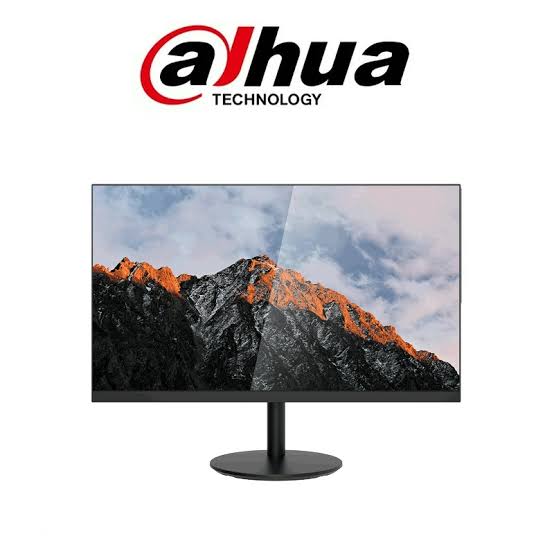
Dahua 22-Inch Surveillance Monitors (such as the popular DHI-LM22-B200S and DHI-LM22-A200 series) are compact, industrial-grade displays specifically engineered for continuous 24/7 security monitoring, office desktop workstations, and small-scale NVR/DVR control setups.
1. Popular Dahua 22-Inch Models Comparison
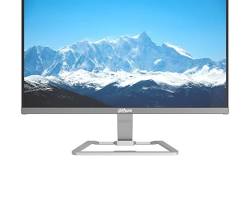
| Model | Panel Type | Native Resolution | Refresh Rate | Inputs | Special Features |
| DHI-LM22-B200S | VA Panel | 1920×1080 (Full HD) | 75Hz | HDMI, VGA | Built-in 2W speakers, ultra-narrow bezel |
| DHI-LM22-B200 | VA Panel | 1920×1080 (Full HD) | 75Hz / 60Hz | HDMI, VGA | Lightweight plastic housing, anti-glare |
| DHI-LM22-A200 | TN / VA | 1920×1080 (Full HD) | 60Hz | HDMI, VGA | Cost-effective entry-level CCTV monitoring |
| DHI-LM22-F200 | Commercial LCD | 1920×1080 (Full HD) | 60Hz | HDMI, VGA, Audio Out | Metal housing, industrial thermal design |
2. Key Technical Features
- 24/7 Industrial Rating: Designed with heavy-duty power supplies and efficient thermal dissipation, allowing continuous non-stop operation without panel degradation.
- Full HD 1080p Resolution: Sharp 1920×1080 display output ensures clarity when monitoring multi-channel camera grid views (e.g., 2×2 or 3×3 matrix).
- Wide Viewing Angles (178°/178°): VA/IPS panel options retain color accuracy and contrast when viewed from different angles in monitoring stations.
- Low Energy Consumption & Anti-Burn-In: Features low power usage (<24W) and built-in screen-savers to prevent static UI elements (such as camera titles and timestamp overlays) from burning into the display.
- VESA Mount Compatible: Features standard 75×75mm VESA mounting patterns on the rear panel for wall mounts or multi-monitor desk arms.
3. Connecting a Dahua 22-Inch Monitor to your NVR/DVR
- HDMI Cable Connection (Recommended): Connect an HDMI cable from the NVR/DVR output to the monitor’s HDMI port. Ensure audio output is enabled in the NVR display settings if using models with built-in speakers (e.g., LM22-B200S).
- VGA Cable Connection: Plug a standard 15-pin VGA cable into both devices for legacy installations or secondary monitor outputs.
- Display Settings Adjustment: Access your recorder’s menu (Main Menu > Display) and select
1920x1080@60Hzas the system resolution for optimal sharpness.
Conclusion
The Dahua 22-inch monitor offers a reliable, budget-friendly display solution for small-to-medium security setups, reception counters, and compact CCTV control desks that require steady 24/7 performance.
Need Help Choosing the Right Monitor for Your Security System?
Selecting the right display size, port configuration, and speaker options for your Dahua NVR or security desk is essential for an efficient setup. Our technical specialists are available to assist with your requirements.
Contact Our Security Specialist Directly:
Phone / WhatsApp:
+966556088894


%20are%20compact,%20industrial-grade%20displays%20specifically%20engineered%20for%20continuous%2024/7%20security%20monitoring,%20office%20desktop%20workstations,%20and%20small-scale%20NVR/DVR%20control%20setups.%201.%20Popular%20Dahua%2022-Inch%20Models%20Comparison%20Model%20Panel%20Type%20Native%20Resolution%20Refresh%20Rate%20Inputs%20Special%20Features%20DHI-LM22-B200S%20VA%20Panel%201920×1080%20(Full%20HD)%2075Hz%20HDMI,%20%5B…%5D&media=https://dahua.nexcelsaudi.com/wp-content/uploads/2026/08/48.jpg)