How to Install Dahua Digital Signage in a Retail Environment
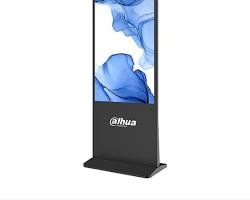
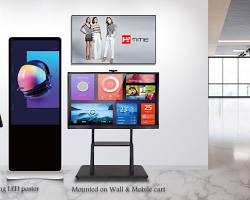
Installing Dahua digital signage in retail environments elevates static storefronts into dynamic customer engagement hubs. Proper installation ensures optimal viewing angles, structural safety, uninterrupted network connectivity, and smooth content deployment.
Whether installing wall-mounted commercial displays or floor-standing kiosks, following a structured installation workflow is essential for long-term operational success.
Step 1: Pre-Installation Site Survey
Before unboxing hardware, conducting a thorough site survey prevents costly structural and electrical delays.
- Structural Wall Assessment: Verify if target walls (concrete, brick, or reinforced drywall) can support heavy commercial display panels.
- Power and Network Access: Ensure dedicated AC power outlets ($100\text{–}240\text{V}$) and Ethernet drops (Cat6) are available directly behind or near the mounting positions.
- Ambient Lighting Check: Evaluate store spotlights and window reflections to calibrate screen brightness effectively during setup.
Step 2: Bracket Mounting and Screen Handling
Dahua commercial screens feature standard VESA mounting patterns ($200\times200\text{ mm}$ to $600\times400\text{ mm}$) for easy bracket attachment.
- Attaching VESA Rails: Place the display face down on a soft, protective mat. Secure the heavy-duty mounting rails to the back of the screen using supplied screws.
- Securing the Wall Plate: Use a spirit level to align the wall bracket. Drill pilot holes, insert heavy-duty wall anchors, and tighten lag bolts securely.
- Hanging the Display: Carefully mount the panel onto the wall plate and lock the anti-drop safety bolts underneath.
Thermal Clearance Note: Leave at least $5\text{–}10\text{ cm}$ of clearance between the display back cover and the wall to ensure proper heat dissipation.
Step 3: Hardware Cabling and Connections
Clean cable management protects hardware from accidental damage and maintains a professional store aesthetic.
- Power Cables: Connect the main power cord to a surge protector or uninterrupted power supply (UPS) to shield components from power spikes.
- Network Wiring: Run an Ethernet cable directly to the display’s LAN port for stable CMS content synchronization.
- Peripheral Add-ons: Insert USB flash drives for local offline media backup or connect external PCs via HDMI if required.
Step 4: System Configuration for Dahua Digital Signage in Retail
Once powered on, complete the initial Android or web-based startup wizard.
- Time Zone Sync: Set the local time zone and synchronize with an NTP server to ensure accurate scheduled ad playback.
- Network Assignment: Configure a static IP address or set up DHCP reservation on the store router for reliable remote management.
- System Security: Change the default administrator password immediately to protect screen settings from unauthorized access.
Step 5: Dahua MPS Cloud and Content Deployment
Dahua displays integrate seamlessly with Dahua MPS (Media Publish System) software for centralized remote management.
- Server Registration: Input your Dahua MPS server IP/domain and terminal activation code into the display’s CMS settings.
- Terminal Authorization: Log into the Dahua MPS web portal, navigate to Device Management, and approve the new screen.
- Playlist Publishing: Create split-screen templates (combining $4\text{K}$ promotional videos, product images, and scrolling ticker text) and publish schedules instantly across single or multiple store locations.
Step 6: Security Lockout and Testing
Finalizing system security prevents customer tampering in high-traffic retail spaces.
- Automated Power Schedules: Enable Auto Power On/Off matching store operating hours (e.g., auto-on at 8:00 AM, auto-off at 10:00 PM) to extend backlight lifespan.
- OSD & IR Panel Lockout: Disable physical buttons and remote control IR receivers via the screen menu so visitors cannot alter input sources or volume settings.
Conclusion
Deploying Dahua digital signage in retail stores optimizes customer touchpoints and streamlines promotional updates. By executing careful site surveys, secure VESA mounting, stable network routing, and Dahua MPS scheduling, retailers can deliver seamless, high-impact dynamic content.
Need Expert Help Installing Dahua Digital Signage in Retail?
Get professional assistance with hardware mounting, Dahua MPS server setup, and retail CMS deployment.
Contact Our Specialist:
Phone / WhatsApp: +966556088894