
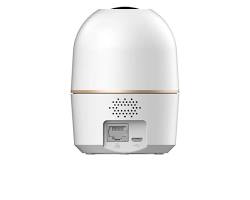
Dahua Wireless (Wi-Fi & 4G) Cameras provide security monitoring without the need for complex network cabling. Part of the Dahua Wireless (WITHS) ecosystem, these cameras combine plug-and-play installation, high-definition video resolutions up to 5MP/4K, edge AI detection, and remote mobile access via the DMSS or Imou Life applications.
1. Dahua Wireless Camera Series Comparison
| Series / Model | Connectivity | Form Factor | Primary Features | Best Application |
| Hero Series (e.g., H3A, H5D) | Wi-Fi (2.4GHz) | Indoor Pan & Tilt | 360° coverage, Auto-tracking, AI human & pet detection, Two-Way Talk | Homes, nursery rooms, and boutique retail stores |
| Cube Series | Wi-Fi / Ethernet | Compact Fixed Indoor | PIR human motion sensor, wide-angle lens, built-in mic/speaker | Small offices, reception desks, and apartment hallways |
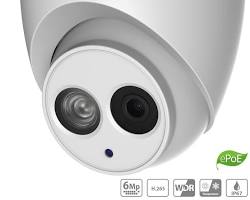
| Outdoor Turret / Bullet | Wi-Fi / Ethernet | Outdoor IP67 | Smart Dual Light (Full-Color night vision), Active Deterrence (Siren/Strobe) | Driveways, building exteriors, and backyards |
| 4G Solar Series | 4G LTE Cellular | Outdoor Solar-Powered | Integrated solar panel & rechargeable battery, zero wiring required | Remote sites, farms, construction areas, and off-grid locations |
2. Key Features of Dahua Wireless Cameras
- Flexible Storage Options: Supports local micro SD cards (up to 256GB/512GB), Dahua Wireless NVR recording, or secure cloud backup.
- Smart Dual Light Technology: Keeps illumination discreet with infrared (IR) night vision until a person or vehicle is detected, switching on warm white lights to capture full-color event footage.
- AI Human & Vehicle Detection: Filters out false motion triggers caused by shadows, rainfall, or insects, sending real-time push alerts to your smartphone.
- Two-Way Audio: Integrated high-sensitivity microphone and speaker allow clear two-way communication directly through the mobile app.
3. How to Connect a Dahua Wireless Camera
- Power On the Camera: Plug the camera into its power adapter. Wait for the LED indicator to flash (indicating readiness for Wi-Fi pairing).
- Download the App: Install DMSS (or Imou Life depending on the specific consumer model line) on your smartphone.
- Scan QR Code: Tap + (Add Device) in the app and scan the QR code located on the base or back of the camera.
- Configure Wi-Fi: Select your local 2.4GHz Wi-Fi network, enter the Wi-Fi password, and hold your phone screen in front of the camera lens (or let the app pair via Bluetooth/AP mode).
- Set Password & Mount: Set a device password, format the inserted MicroSD card, and mount the camera using the included bracket and template.
Conclusion
Dahua wireless cameras offer a balance between flexible installation and professional security features. Whether deployed as standalone indoor cameras via Wi-Fi or off-grid outdoor cameras using 4G solar power, they provide comprehensive coverage without dedicated network cabling.
Need Technical Support or Installation Help?
Choosing between 2.4GHz Wi-Fi, 4G cellular models, or Wi-Fi NVR integration requires matching your network infrastructure with the right hardware. If you need help selecting or configuring your security setup, our technical specialists are ready to help.
Contact Our Security Specialist Directly:
Phone / WhatsApp:
+966556088894




%20Cameras%20provide%20security%20monitoring%20without%20the%20need%20for%20complex%20network%20cabling.%20Part%20of%20the%20Dahua%20Wireless%20(WITHS)%20ecosystem,%20these%20cameras%20combine%20plug-and-play%20installation,%20high-definition%20video%20resolutions%20up%20to%205MP/4K,%20edge%20AI%20detection,%20and%20remote%20mobile%20access%20via%20the%20DMSS%20or%20Imou%20Life%20applications.%201.%20Dahua%20Wireless%20Camera%20Series%20Comparison%20Series%20%5B…%5D&media=https://dahua.nexcelsaudi.com/wp-content/uploads/2026/08/46.jpg)