
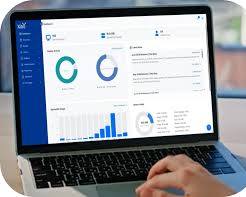
Managing visual media across commercial displays, interactive kiosks, and large-scale video walls requires a robust Content Management System (CMS). A dedicated digital signage CMS allows IT administrators and marketing teams to schedule, update, deploy, and monitor high-resolution content across one screen or thousands of screens remotely.
When choosing a solution for digital signage, understanding the underlying architecture is essential. Commercial CMS platforms for large screens are generally categorized into four primary types based on deployment architecture, network setup, and content delivery mechanisms.
1. Cloud-Based (SaaS) Digital Signage CMS
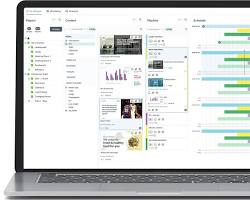
Cloud-based systems are the most popular choice for modern digital signage deployments. The CMS software is hosted on secure cloud infrastructure, and users manage their media through any web browser.
- How It Works: Media is uploaded to a cloud management dashboard, scheduled, and delivered automatically over the internet to connected media players or smart displays.
- Key Advantages:
- Remote Accessibility: Manage global screen networks from any location or mobile device.
- Automatic Updates: Continuous software updates and security patches require zero manual intervention.
- Scalability: Expanding from 5 to 5,000 displays requires simple license additions.
- Best Used For: Retail chains, quick-service restaurants (QSRs), corporate communications, and digital advertising networks.
2. On-Premise (Self-Hosted) CMS
On-premise solutions host the CMS software directly on an organization’s internal servers or private data center rather than relying on third-party cloud vendors.
- How It Works: Content and scheduling data reside on internal servers. Displays connect directly via Local Area Network (LAN) or private Virtual Private Network (VPN) channels.
- Key Advantages:
- Total Data Privacy: Sensitive corporate data never leaves the internal private network.
- Zero External Internet Dependence: Displays maintain full operational playback even during external ISP outages.
- Complete Customization: Full ownership over server hardware, integration scripts, and data retention policies.
- Best Used For: Government agencies, military facilities, banking networks, and healthcare organizations with strict compliance policies.
3. System-on-Chip (SoC) / Display-Native CMS
SoC technology integrates the media player directly into the display panel’s hardware processor, running specialized operating systems like Samsung Tizen, LG webOS, or Android.
- How It Works: A lightweight CMS player app runs natively inside the display chip, fetching schedules directly over Wi-Fi or Ethernet.
- Key Advantages:
- Reduced Hardware Costs: Eliminates the need for external PC boxes, HDMI cables, and additional mounting hardware.
- Sleek Aesthetic: Perfect for wall-mounted displays where hiding external players is challenging.
- Centralized Health Monitoring: Enables remote power cycling, temperature diagnostics, and display control from one interface.
- Best Used For: Digital menu boards, retail showcases, meeting room displays, and space-constrained environments.
4. Hardware-Based / Video Wall Controllers (Pro-AV Systems)
For extreme-resolution installations—such as multi-screen tiled video walls, curved LED canvases, and command center arrays—standard CMS software combines with specialized hardware video processors.
- How It Works: High-performance media servers and video wall matrix controllers split high-resolution video streams (8K or higher) across multiple screen cabinets with sub-frame synchronization.
- Key Advantages:
- Pixel-Accurate Mapping: Supports custom aspect ratios, irregular screen layouts, and multi-window picture-in-picture capabilities.
- Ultra-Low Latency: Processing hardware prevents frame tearing, lag, or misalignment across bezels.
- Live Stream Ingestion: Easily streams real-time CCTV feeds, dashboards, or live camera inputs alongside scheduled media.
- Best Used For: Command and control centers, security operations hubs, airport display boards, and flagship arena video walls.
Architectural Comparison Matrix
| CMS Architecture | Internet Dependency | Hardware Requirements | Data Security Level | Maintenance Effort |
| Cloud-Based (SaaS) | High (for media sync) | Media Player or SoC Screen | Standard / Enterprise Cloud | Low (Vendor managed) |
| On-Premise | None (Internal LAN) | Dedicated Local Server + Players | Maximum / Private Network | High (Internal IT managed) |
| System-on-Chip (SoC) | Medium | SoC-Enabled Display Only | High | Low |
| Video Wall Controller | Optional | Media Server + Hardware Controller | Enterprise / Custom | Medium to High |
Conclusion
Selecting the right digital signage CMS depends on your organization’s security policies, screen resolution requirements, and technical infrastructure. While cloud-based systems offer unmatched flexibility and speed of deployment, on-premise setups and specialized video controllers remain the benchmark for high-security and ultra-high-resolution video wall applications.
Need Help Choosing the Right Digital Signage CMS for Your Screens?
Streamline your display network, optimize content delivery, and get expert guidance on cloud, on-premise, or video wall CMS architecture.
Contact Our Specialist:
Phone / WhatsApp: +966556088894


.%20A%20dedicated%20digital%20signage%20CMS%20allows%20IT%20administrators%20and%20marketing%20teams%20to%20schedule,%20update,%20deploy,%20and%20monitor%20high-resolution%20content%20across%20one%20screen%20or%20thousands%20of%20screens%20remotely.%20When%20choosing%20a%20solution%20for%20digital%20signage,%20understanding%20the%20%5B…%5D&media=https://dahua.nexcelsaudi.com/wp-content/uploads/2026/08/82.jpg)