
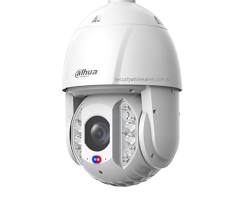
In Dahua security systems (NVRs, DVRs, and IP cameras), Anti-Dither is a critical setting found within the Event / Motion Detection configuration. It determines the duration of time the system continues to treat a detected motion event as a single, continuous event after the motion has stopped.
1. How Anti-Dither Works
When motion detection triggers an event (such as recording, sending an email alert, or activating an alarm output), motion rarely stays 100% constant. For example, if a person walks into a room, stands still for 2 seconds, and then continues walking, standard motion detection might split this into two separate events and stop recording in between.
- Anti-Dither Timer: Acting as a “buffer” or “cool-down period,” if Anti-Dither is set to 5 seconds, the camera will keep recording for an extra 5 seconds after the motion stops.
- Merging Motion Triggers: If new motion occurs within those 5 seconds, the camera resets the timer and continues the same recording seamlessly, treating it as one continuous clip rather than multiple fragmented videos.
2. Recommended Anti-Dither Settings
| Setting Value | Behavior | Ideal Application |
| 0–5 Seconds (Default) | Quickly stops recording after motion ends. Saves storage space. | High-traffic public corridors, streets, or busy entrances. |
| 10–20 Seconds | Provides a balanced buffer, bridging minor pauses in motion. | Retail stores, offices, and residential driveways. |
| 30+ Seconds | Keeps recording active through long pauses in physical activity. | Server rooms, warehouses, and high-security perimeter zones. |
3. Key Benefits of Anti-Dither
- Prevents Video Fragmentation: Eliminates chopped-up video clips when subjects pause temporarily during an incident.
- Reduces False Alarm Notifications: Prevents system notifications or emails from spamming your phone every few seconds during a single ongoing event.
- Optimizes Storage Efficiency: Balances continuous record mode with motion-based recording by ensuring important contextual footage is captured before video recording cuts off.
Conclusion
Setting up Anti-Dither correctly ensures that your Dahua video system captures complete event footage without missing crucial seconds between movements. A setting between 5 to 10 seconds is generally recommended for most standard surveillance setups.
Need Help Fine-Tuning Your Dahua System Settings?
Proper configuration of motion detection, anti-dither, and post-record times ensures maximum security without wasting storage space.
Contact Our Security Specialist:
Phone / WhatsApp: +966556088894





,%20Anti-Dither%20is%20a%20critical%20setting%20found%20within%20the%20Event%20/%20Motion%20Detection%20configuration.%20It%20determines%20the%20duration%20of%20time%20the%20system%20continues%20to%20treat%20a%20detected%20motion%20event%20as%20a%20single,%20continuous%20event%20after%20the%20motion%20has%20stopped.%201.%20How%20Anti-Dither%20Works%20When%20motion%20detection%20triggers%20%5B…%5D&media=https://dahua.nexcelsaudi.com/wp-content/uploads/2026/08/62.jpg)