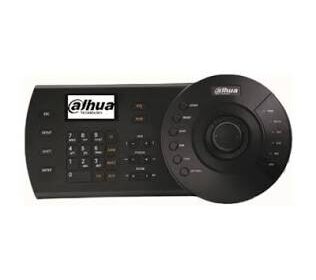
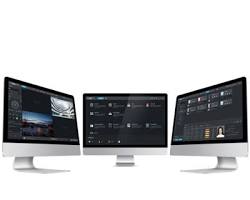
Dahua offers several official desktop applications designed for managing cameras, configuring IP devices, and managing enterprise video systems on Windows PCs.
1. Overview of Key Dahua PC Software
| Application | Core Function | Best For | Price / Licensing |
| Dahua ConfigTool | Device discovery, IP modification, batch initialization, firmware upgrades | Technicians, installers, and system setup | Free |
| SmartPSS / SmartPSS Lite | Live viewing, local video playback, PTZ control, multi-channel view | Homes, small offices, and lightweight monitoring | Free |
| DSS Express | Centralized client-server VMS, access control, AI event management | Small-to-medium businesses (Up to 64 free video channels) | Free Base / Tiered Licenses |
| DSS Professional | Enterprise VMS, multi-server clustering, video walls, license plate recognition (ANPR) | Large commercial facilities, shopping centers, multi-site setups | Paid License Required |
| Dahua ToolBox | All-in-one launcher to download and update Dahua utilities (ConfigTool, Disk Calculator, Player) | Installers and system maintainers | Free |
2. Key Utilities Breakdown
Dahua ConfigTool
The primary utility for setting up any new Dahua installation.
- Auto-Discovery: Scans the local subnet for uninitialized IP cameras and NVRs/DVRs.
- Batch Initialization: Allows you to set passwords and IP addresses for multiple cameras simultaneously.
- Firmware Maintenance: Flashes and updates device firmware across your network.
SmartPSS & SmartPSS Lite
A standalone PC client that connects directly to IP cameras and NVRs without requiring a dedicated background server.
- Supports live view grids (up to 64 channels per screen).
- Real-time alarm pop-ups and motion detection alerts.
- Direct video export in
.davor.mp4formats.
DSS Express / DSS Professional
Dahua’s server-based Video Management Software (VMS) platforms.
- DSS Express: Free for up to 64 channels, making it a step up from SmartPSS for centralized server recording and access control integration.
- DSS Professional: Built for enterprise deployments requiring multi-server redundancy, map integration (E-Maps), and video wall management.
3. How to Set Up Cameras Using Dahua ConfigTool
- Download and install Dahua ToolBox from the official Dahua website, then install ConfigTool from the launcher.
- Connect your PC to the same local network (router or PoE switch) as your Dahua cameras or NVR.
- Open ConfigTool and click Search Setting. Enter your default device password credentials if required.
- Click Refresh to view connected devices. Select the uninitialized devices and click Initialize to set administrative passwords and assign static IP addresses.
Conclusion
For simple setup and diagnostic tasks, ConfigTool is essential. For daily live view and playback on a single PC, SmartPSS provides an easy standalone solution, while DSS Express serves as the recommended platform for multi-user commercial management.
Need Assistance Configuring Your Dahua Surveillance Software?
Setting up remote PC monitoring, configuring VMS servers, or diagnosing offline IP addresses can be challenging. If you need technical assistance configuring your system, our specialists are ready to help.
Contact Our Security Specialist Directly:
Phone / WhatsApp:
+966556088894