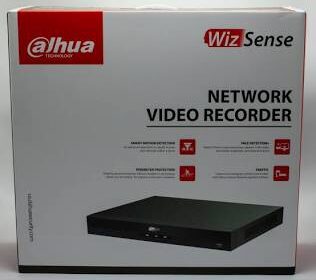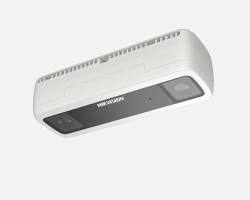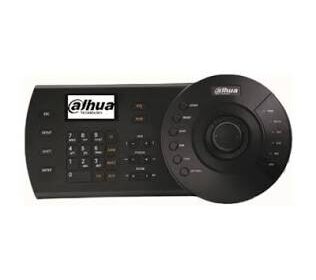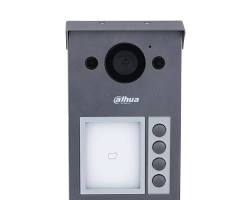

Whether you are configuring a newly unboxed security camera or troubleshooting an existing surveillance network, understanding Dahua default credentials and initialization procedures is essential for a smooth installation.
Below is a quick, practical reference guide covering default login settings, legacy passwords, network defaults, and password recovery options.
1. Modern vs. Legacy Default Credentials
Dahua has updated its security protocols across recent firmware releases to enhance device protection:
| Camera Generation | Default Username | Default Password | Initial Setup Requirement |
| Modern Dahua IP Cameras | admin | No Default Password | Mandates user creation of a custom password upon initial boot. |
| Legacy / Older Models | admin | admin | Default password must be changed immediately after first login. |
2. Factory Default Network Parameters
When connecting a new or factory-reset Dahua camera directly to your local area network (LAN), use the following default network settings to locate the device:
- Default IP Address:
192.168.1.108 - Subnet Mask:
255.255.255.0 - Default Gateway:
192.168.1.1 - Web Management Port:
80(HTTP) /443(HTTPS) - RTSP Port:
554
3. Password Reset & Recovery Options
If you are locked out of your Dahua device or forgot your administrator password, follow these step-by-step resolution methods:
Method A: Physical Hardware Reset Button
- Disconnect or maintain power supply to the camera based on model specifications.
- Locate the physical Reset Button (typically situated near the MicroSD card slot or inside the camera body housing).
- Press and hold the reset button for 10 to 15 seconds until the status LED flashes or the camera reboots.
Method B: Password Recovery via Dahua ConfigTool
- Download and open the official Dahua ConfigTool on a PC connected to the same subnet.
- Select the camera from the device list and click Password Reset.
- Scan the generated QR Code using the DMSS Mobile App or export the
.xmlfile to request an unlock code from authorized support.
Security Advisory: Always change factory credentials immediately after initial login. Use a strong password combining uppercase letters, numbers, and special symbols to protect your network against unauthorized access.
Conclusion
Managing Dahua CCTV credentials properly ensures both seamless system deployment and robust cybersecurity. By utilizing toolsets like the Dahua ConfigTool and adhering to strong password initialization, administrators can maintain absolute control over their security infrastructure.
Need Assistance Choosing the Right Surveillance System?
Navigating security camera options and configurations can be complex. Whether you are looking to secure your home or upgrade your business coverage, our technical specialists are ready to help you select and deploy the ideal Dahua security solutions tailored to your needs and budget.
Contact Our Security Specialist Directly:
- Phone / WhatsApp:
+966556088894